Getting Started in Ultimate Block Build
A first hour that ends with a saved plot, not an empty server.
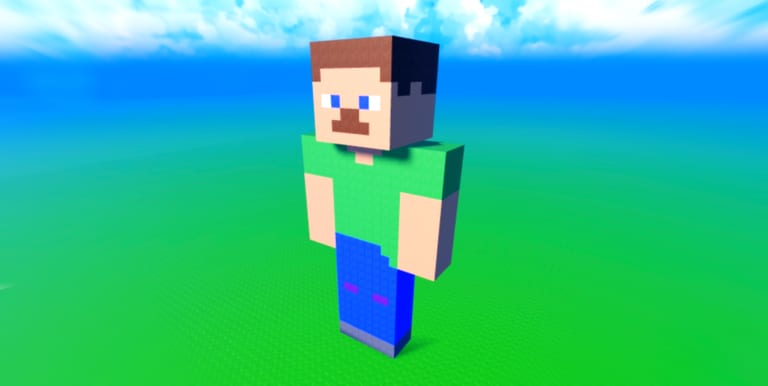
Ultimate Block Build is a live Roblox sandbox from Kulebyak Community. You join a public server, place blocks from a large kit, and show the result to whoever else loaded in. There is no campaign map and no extraction timer. The only clock that matters is yours — and the Save Menu, because the game will not snapshot the world for you.
This walkthrough is the first-session path we recommend on the home page. It assumes a free account and a phone or PC. Fly Mode and kitchen packs can wait.
Join and take the Welcome badge
Open the official experience, wait for the world to stream, and confirm the Welcome badge. That badge fires for almost every visitor, so it is a useful sanity check that you are in the right place and that badges are unlocking on your account. If Welcome never appears, you may be in a similarly named builder. The true title uses the sun and hammer styling on Roblox; this wiki always means place 133083514087477.
Walk the spawn before you empty your inventory. Note where other people are building. A fifteen-player cap means you will see plots, not a megacity. Leave space if you want a clean screenshot later.
Place a small, honest test
Pick a starter block and place a four-by-four pad. Use move and rotate once so you know the precision tools work on your device. If taps feel sticky, read controls before you start a cathedral. Mobile is supported, but sloppy first placements waste the coins you are about to earn.
Do not spend shop coins yet. The Block Shop is priced in a range of one to five coins, and you only receive one coin per ten minutes. A first-session impulse buy can stall the rest of the loop.
Save before you get clever
Open the Save Menu and store the pad. That single action awards the First Save badge for players who have never stored a build. Most visitors never do this. If you take nothing else from this guide, take that click. The dedicated save guide explains slots, reloads, and why hopping servers is the usual wipe.
After the save, you can decorate. Add a doorway suggestion, a roof slab, or a color break. Save again. Treat save like a habit, not a finale.
Start the free-reward loop
Like the experience and stay toward twenty minutes if you want the advertised free block. Follow Rogerbor if you want the follow gift. Claim the first daily three coins. The claim rewards page lists those steps without pretending a promo code exists.
If you still have time, walk the edges for secret quests. Look for odd apples, risky height, and the far voxel horizon. Come back if the hunt starts to eat the save habit.
Decide your next unlock
With a saved pad and a few coins, open the block tier list or the coin planner. Structural pieces beat joke colors. Gamepasses such as Door Pack and Flower Pack are recent Robux drops; they are optional flavor, not required to finish a first house. Fly Mode is the quality-of-life pack if you hate climbing, and it is ranked on the gamepass tier list.
Invite a friend only after anti-grief is understood. Public servers are shared. The VIP and anti-grief guide covers the toggle and the fact that Roblox-hosted VIP server creation is disabled even though the description advertises team saves.
What success looks like
You leave with Welcome, a stored slot, and a plan for tomorrow’s daily board. You do not leave with a viral mansion and a wiped inventory. That bar matches how this game actually plays: calm tools, slow coins, and a community that likes showing work more than racing a meta.
When you return, jump to the Guides Hub for the next how-to instead of rereading this whole opener.
Frequently Asked Questions
Quick answers to the most common questions.
Is Ultimate Block Build free to play?
Yes. The sandbox is free on Roblox. Coins drip over time. Gamepasses are optional packs and Fly Mode.
What should I do in the first ten minutes?
Place a small pad, open the Save Menu, Like the experience, and claim the daily board if it is available.
Do I need Fly Mode to start?
No. Precision tools and walking are enough for a first house. Buy Fly Mode later if climbing wastes your session.
Where do I go after this guide?
Read How to save builds, then How to get coins. Use Controls if placement feels awkward on mobile.